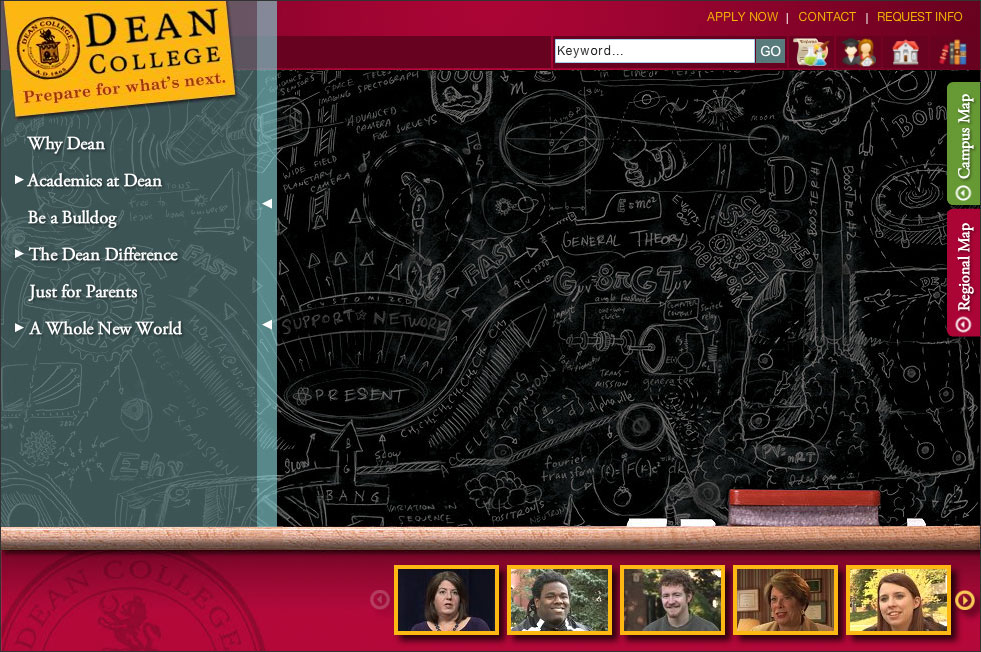
 LAUNCH THE DEAN COLLEGE VIRTUAL TOUR The Dean College virtual tour provides both a persistent way to access the people in the tour (the headshots at the bottom of the screen), and also weaves commentary throughout the presentation in a way that augments the primary tour videos and map content. Using CampusTours content-managed InteractiveVideo technology, Dean's videos contain cue points that allow users to explore the important themes discussed in the videos. Breaking videos into shorter thematic chapters and then integrating InteractiveVideo cue points into the videos allows schools to add depth and granularity to their presentations, without boring those that are not interested in particular topics. Dean College's virtual tour is another CampusTours presentation to make use of the new content-managed interplay between our Interactive Videos and the Interactive Map (To see map/video coordination in action, click here). Using the MultiMedia Engine Version 5.0 content management system, Dean College can coordinate map movement, map highlighting and effects to any point in the video, allowing the institution to provide a vastly more compelling tour experience. Finally, when Dean adds new videos to the system or updates a video, they can easily modify coordinated map behavior. Short thematic video tours allow Dean College to develop presentations aimed at different constituencies including parents. Dean may add or update these presentations at any time with the CampusTours MultiMedia Engine software. Deep linking (press the CTRL and HOME keys together at any point within the tour) to the tour or map in any state gives the capability to provide specific experiences to particular visitor groups. Deep Linking also creates the capability to generate presentations that are hidden from the public but shown to distinct audiences or individuals (accepted students, admissions search presentations, targeted landing page campaigns, and fundraising/development tasks). Accessibility tags within the content management system allow for precise tagging of all tour graphical items and content. Gives Dean freedom to change the tour branding in lockstep with institutional identity updates. New logos and taglines can be inserted at any time to keep the tour consistent with new branding initiatives. Allows Dean College to control persistent calls to action, the icons and text that represent them, the locations to which they link and the creation of new calls to action. |